

Introduction
Primary Keyword: The Future of Interactive Business Presentations
AI-Powered Business Presentations Will Become More Common
Artificial intelligence is changing how Professionals research topics, organize information, write slide content, and develop presentation outlines. Instead of building every presentation from scratch, teams can use AI to create an initial structure and spend more time improving the message.
AI-powered presentation tools can assist with summarizing reports, suggesting layouts, generating draft text, and adapting explanations for different audiences.
For example, a marketing manager preparing a quarterly performance review could use AI to organize campaign findings into a preliminary presentation outline. The manager would then verify the data, identify meaningful insights, and develop recommendations based on actual business results.
The most important development is not simply faster slide creation. It is the possibility of reducing repetitive work while giving professionals more time to focus on strategic thinking.
Businesses should still review AI-generated content carefully. Incorrect statistics, invented references, misleading charts, and generic recommendations can damage credibility.
Key takeaway: AI can accelerate presentation production, but human judgment must remain responsible for accuracy, context, and the final message.
Real-Time Audience Engagement Will Transform Meetings
Traditional presentations usually follow a one-way communication model. The presenter speaks, the audience listens, and questions may be postponed until the end.
Interactive presentations offer a more participatory alternative.
Businesses can use live polls, quizzes, anonymous questions, surveys, and audience voting to understand what participants think while the presentation is happening.
Imagine a company introducing a new workplace policy. Instead of guessing employees’ concerns, the presenter could collect anonymous feedback and address the most common questions during the session.
Similarly, a consulting firm could ask workshop participants to identify their biggest operational challenges before presenting potential solutions.
These interactions make presentations more responsive because the presenter can adjust explanations and discussion according to the audience’s needs.
However, participation should always have a purpose. Asking attendees to vote on an irrelevant question simply adds another distraction.
Key takeaway: The future of business presentations will place greater emphasis on two-way communication, useful feedback, and meaningful participation.
Personalized Presentations Will Adapt to Different Audiences
A presentation designed for executives may not work equally well for engineers, customers, investors, or new employees. Each audience has different priorities, knowledge levels, and expectations.
Personalized presentation experiences help address these differences.
For example, a software company could create a presentation with selectable sections. Business executives could explore return on investment and strategic benefits, while technical teams could examine integrations, security requirements, and implementation details.
Interactive navigation can allow audiences to choose the information most relevant to their objectives.
AI may also help presenters adapt examples, explanations, and supporting materials for different professional groups.
Nevertheless, personalization should not create misleading versions of the same business proposition. Important facts, limitations, prices, and commitments must remain consistent.
Organizations should also handle personal information responsibly when adapting presentations to individual users.
Key takeaway: Personalized presentations can make business communication more relevant without forcing every audience to follow the same information path.
Interactive Data Visualization Will Improve Business Decisions
Businesses frequently use presentations to explain financial performance, sales trends, customer behavior, project progress, and strategic forecasts.
Static charts can communicate important findings, but they sometimes make it difficult to investigate the reasons behind those findings.
Interactive data visualization allows audiences to explore information through filters, selectable categories, dynamic charts, and scenario comparisons.
For example, a sales director could use an interactive dashboard to compare regional performance, examine product categories, and identify changes across reporting periods.
An executive team could explore different budget scenarios and examine how changes in spending assumptions affect projected margins.
These experiences can support better discussions because participants can investigate the information instead of relying entirely on the presenter’s explanation.
However, interactive visualizations must be built on reliable data. Organizations should clearly identify reporting periods, assumptions, calculation methods, and the difference between actual results and projections.
Key takeaway: Interactive data should help audiences understand the reasons behind business results, not merely make charts look impressive.
Immersive Technologies Will Create New Presentation Experiences
Augmented reality, virtual reality, interactive touchscreens, and three-dimensional product models are creating new possibilities for business presentations.
These technologies can be especially useful when a product, process, or physical environment is difficult to explain through ordinary slides.
For example, a manufacturing company could use a three-dimensional model to demonstrate how a machine works internally. An architecture firm could let clients explore a proposed building, while a retailer could create an interactive product display.
Trade shows, technical demonstrations, product launches, and specialized training environments may benefit from these experiences.
However, immersive technology is not suitable for every business situation. A straightforward financial update may be better communicated through a simple presentation and a clear discussion.
Companies should evaluate whether the technology improves understanding enough to justify its cost, technical requirements, and maintenance.
Key takeaway: Immersive presentations will be most valuable when they help people explore, understand, or experience something that traditional slides cannot communicate effectively.
Hybrid and Remote Presentations Will Continue to Evolve
Business communication increasingly takes place across offices, home workplaces, conference rooms, and virtual meeting platforms.
Interactive presentation technology can help organizations create more consistent experiences for participants regardless of where they attend.
Remote audiences can participate through digital polls, question-and-answer tools, shared dashboards, collaborative activities, and self-guided presentation links.
For example, a company conducting a global training session could use live knowledge checks to gather responses from employees in different countries.
A sales team could share an interactive product presentation with prospective customers who prefer to explore the information independently before scheduling a meeting.
Successful hybrid presentations require more than a video call and a slide deck. Presenters must ensure that remote participants can see content clearly, access interaction tools, ask questions, and participate without unnecessary technical barriers.
Time zones, language differences, connectivity, and device compatibility should also be considered.
Key takeaway: Future-ready business presentations must work across different locations, devices, and participation styles.
Interactive Presentations Will Strengthen Sales and Marketing
Sales and marketing teams need to communicate value quickly, answer customer questions, and help prospects understand why a product or service deserves consideration.
Interactive presentations can make these conversations more relevant by allowing prospects to explore features, compare options, watch demonstrations, and examine practical use cases.
For example, a business software company could create an interactive sales presentation that lets prospects select their industry and explore the features most relevant to their operational challenges.
A financial services provider could use interactive scenarios to explain different service options while clearly presenting applicable terms and limitations.
Interactive sales content can also support asynchronous communication. Prospects may review selected sections before a meeting, helping sales representatives focus subsequent conversations on actual questions.
Businesses should evaluate performance through meaningful indicators such as qualified follow-up meetings, progression through the sales pipeline, customer feedback, and conversion rates.
Clicks alone do not prove that a presentation has improved sales.
Key takeaway: Interactive sales presentations should help customers Understand their options and make informed decisions rather than simply encourage more clicks.
Corporate Training Will Become More Participatory
Employee training is another area where interactive business presentations can offer practical value.
Traditional training slides often deliver information without giving employees enough opportunities to apply what they have learned.
Interactive training can include scenario-based exercises, quizzes, decision-making activities, demonstrations, and immediate feedback.
For example, a customer service presentation could describe a difficult customer interaction and ask employees to select the most appropriate response.
The presenter could then explain why one approach is more effective and discuss how employees might handle similar situations in their actual work.
This approach encourages employees to think about decisions instead of merely memorizing information.
Organizations can also use knowledge checks to identify topics that require further explanation.
For structured training programs, businesses may benefit from integrating interactive presentations with learning management systems and assessment tools.
Training effectiveness should be evaluated through comprehension, task performance, and the practical application of skills.
Key takeaway: Interactive training presentations should connect information with realistic decisions and measurable learning objectives.
Accessibility Will Become Essential to Presentation Design
The future of interactive business presentations must include people with different abilities, devices, languages, and technical circumstances.
A visually impressive presentation can still fail if its text is difficult to read, its controls are confusing, or essential information is unavailable to certain participants.
Accessible presentation design can include:
- Readable typography and appropriate text sizes.
- Sufficient contrast between text and backgrounds.
- Captions or transcripts for meaningful audio and video.
- Alternative text for informative images.
- Clear navigation and understandable interaction controls.
- Keyboard accessibility where applicable.
- Charts that do not rely on color alone to communicate meaning.
- A practical alternative when an interactive feature does not work.
Businesses should test presentations on the devices and platforms their audiences are likely to use.
They should also provide clear instructions for polls, quizzes, and interactive elements so participants know how to engage.
Accessibility is not simply a technical requirement. It is part of communicating respectfully and effectively with a wider audience.
Key takeaway: The most successful presentations will combine engaging experiences with inclusive design and reliable access to essential information.
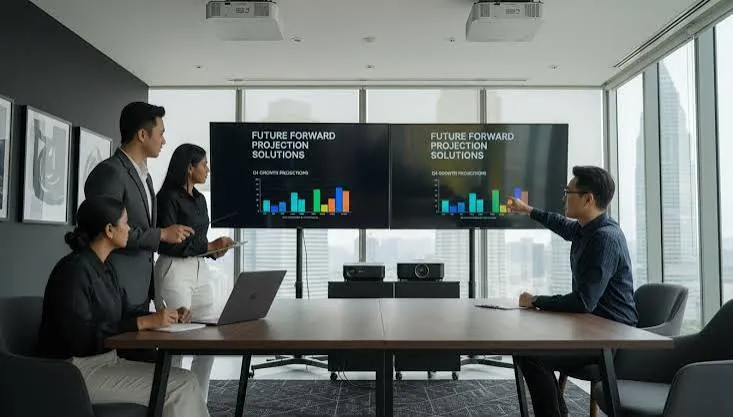
Presentation Analytics Will Help Measure Effectiveness
Organizations increasingly want to understand whether their communication achieves its intended objectives.
Presentation analytics can help teams examine how audiences interact with content and identify opportunities to improve future presentations.
Depending on the platform and applicable privacy rules, useful indicators may include:
- Participation in audience polls.
- Questions submitted during a session.
- Completion of interactive activities.
- Performance on training assessments.
- Engagement with specific sections of shared presentations.
- Qualified sales follow-ups.
- Time required to create and update presentation materials.
For example, a training team might discover that employees repeatedly struggle with a particular scenario. The team could revise the explanation and add a practical example.
A sales team might find that prospects frequently request more information about implementation. That insight could inform future presentation content.
Analytics must be interpreted carefully. A high number of interactions does not necessarily mean that an audience understood the message or made a better decision.
Organizations should collect only necessary information, explain relevant tracking practices, and protect confidential data.
Key takeaway: Presentation analytics are most useful when they connect audience behavior to a clear learning, communication, or business objective.
AI Governance, Privacy, and Security Will Become More Important
As presentations incorporate AI-generated content, external integrations, audience feedback, and connected business data, organizations must pay greater attention to security and governance.
A presentation may contain confidential financial information, customer details, strategic plans, internal performance data, or commercially sensitive product information.
Uploading such material to an AI service without checking its data-handling policies can create unnecessary risks.
Businesses should establish clear practices for selecting approved tools, managing access permissions, reviewing generated content, and handling confidential information.
Important safeguards include:
- Reviewing the privacy and data-retention policies of presentation platforms.
- Avoiding unnecessary disclosure of sensitive business information.
- Verifying AI-generated facts, calculations, charts, and references.
- Restricting access to confidential presentations.
- Establishing approval procedures for investor and financial presentations.
- Checking that interactive features do not expose information to unauthorized audiences.
- Maintaining reliable backup presentation formats.
Organizations should also ensure that automated personalization does not change important facts or create inconsistent commitments across different audiences.
Responsible technology adoption requires clear ownership and accountability.
Key takeaway: Innovation should improve business communication without weakening accuracy, privacy, security, or trust.

Businesses Will Focus More on Presentation ROI
The future of interactive business presentations will not be measured by visual effects alone. Organizations will increasingly need to determine whether their investments produce useful business outcomes.
Return on investment, or ROI, provides one way to evaluate financial benefits relative to total costs.
A basic formula is:
ROI (%) = (Financial Benefits − Total Costs) ÷ Total Costs × 100
For example, imagine a company estimates that an interactive sales presentation generates $12,000 in additional attributable financial contribution during a Measurement period. Developing and maintaining the presentation costs $4,000.
The illustrative calculation is:
ROI = ($12,000 − $4,000) ÷ $4,000 × 100
Estimated ROI = 200%
This example is hypothetical, not a claim about typical presentation performance.
In practice, businesses should include relevant development costs, software subscriptions, training, maintenance, and other expenses. They should also use defensible estimates when attributing financial improvements to a presentation.
Not every presentation needs a direct financial ROI calculation. An executive briefing may be valuable because it helps stakeholders reach a decision, while a training session may be successful because employees demonstrate improved skills.
The appropriate measurement depends on the presentation’s purpose.
Key takeaway: Successful businesses will evaluate presentations according to meaningful outcomes, not the number of slides, animations, or audience clicks.
Which Interactive Presentation Trends Matter Most?
Different organizations should prioritize different technologies according to their communication objectives.
| Business Objective | Recommended Interactive Approach | What to Measure |
| Improve meeting participation | Live polls and audience questions | Participation and useful feedback |
| Explain complex business data | Interactive charts and dashboards | Understanding and decision quality |
| Improve sales conversations | Interactive demonstrations and product comparisons | Qualified follow-ups and sales progression |
| Strengthen employee training | Quizzes and realistic scenarios | Assessment results and task performance |
| Support executive decisions | Scenario comparisons and data exploration | Decisions and agreed actions |
| Reach remote audiences | Online presentations and asynchronous content | Access, completion, and relevant engagement |
| Improve product demonstrations | Interactive models and guided exploration | Product understanding and customer feedback |
| Reduce repetitive presentation work | AI-assisted drafting and reusable templates | Production time and review costs |
The best approach is not necessarily the newest technology. It is the approach that solves a real communication problem with an acceptable level of cost, complexity, and risk.
How to Create a Future-Ready Interactive Business Presentation
Businesses do not need to adopt every new presentation technology immediately. A practical implementation process can begin with a few clear steps.
Step 1: Define the business objective. Decide whether the presentation should explain a strategy, demonstrate a product, secure approval, improve learning, or support a sales conversation.
Step 2: Understand the audience. Identify the audience’s knowledge level, professional priorities, likely questions, and preferred participation methods.
Step 3: Build a clear narrative. Organize the presentation around a Logical sequence of problems, evidence, options, recommendations, and next steps.
Step 4: Select purposeful interactions. Use polls for feedback, interactive charts for exploration, quizzes for comprehension, and branching paths when different audiences need different information.
Step 5: Choose appropriate software. Compare tools according to functionality, accessibility, security, integrations, ease of use, and total cost.
Step 6: Test the complete experience. Check links, multimedia, permissions, devices, internet requirements, and audience access. Prepare a backup format.
Step 7: Measure the results. Review feedback, understanding, business outcomes, and production efficiency. Use the findings to improve the next presentation.
Following this process helps businesses adopt new technology without losing sight of their actual communication goals.

Best Interactive Presentation Tools for Businesses
The right presentation software depends on the task, the audience, and the organization’s existing workflow.
| Tool | Potential Use Case | Features to Evaluate |
| Microsoft PowerPoint | Corporate meetings and established slide workflows | Editing, integrations, embedded media |
| Mentimeter | Workshops and live audience participation | Polls, quizzes, Q&A |
| Visme | Branded visual business content | Charts, interactive elements, analytics |
| Prezi | Visual storytelling and non-linear presentations | Zoom-based navigation and visual relationships |
| Genially | Interactive visual content | Clickable elements, hotspots, branching |
| Gamma | Web-based presentations and AI-assisted drafting | Content generation, online sharing, structured layouts |
| iSpring Suite | Employee training and e-learning | Assessments, scenarios, learning management integrations |
| Intuiface | Interactive kiosks and physical displays | Touchscreen experiences and device integrations |
These tools serve different purposes, so they should not be treated as interchangeable. Features, pricing, and integrations can change by plan and over time. Verify current specifications with each provider before purchasing.
A useful selection process starts with the desired audience outcome, then identifies the features needed to support it.
People Also Ask
A: The future of interactive business presentations is moving toward AI-assisted content A: creation, personalized information, real-time audience participation, dynamic data visualization, and more measurable digital experiences. The most effective approach will depend on the presentation’s objective and audience.
A: Interactive presentations can encourage participation, explain complex information, collect feedback, and support decision-making. Their value depends on whether the interactions improve understanding or help achieve a specific business objective.
A: AI can assist with research, outlining, slide drafting, layout suggestions, summarization, and adapting explanations for different audiences. Human review remains essential for verifying facts, checking calculations, protecting confidential information, and ensuring that the final presentation is accurate.
A: The best tool depends on the use case. PowerPoint may suit established corporate workflows, Mentimeter supports audience participation, Visme and Genially provide interactive visual content, and iSpring Suite can support structured training. Compare current features, accessibility, security, and total costs before selecting a platform.
A: Start with a clear objective, organize information into a logical story, use readable visuals, and provide relevant opportunities for participation. Live questions, polls, product demonstrations, and interactive charts can improve the experience when they support the message rather than distract from it.
Conclusion
The future of interactive business presentations is about creating communication experiences that help people understand information, participate in discussions, and make better decisions.
AI-assisted creation, real-time feedback, personalization, interactive data visualization, immersive experiences, and presentation analytics offer organizations new ways to communicate. At the same time, accessibility, data accuracy, privacy, security, and measurable business value must remain central to implementation.
Businesses do not need to adopt every emerging technology at once. They can begin with a recurring communication challenge, introduce one purposeful interactive Feature, test it with a real audience, and evaluate the results.
Ultimately, the most effective business presentations will combine useful technology with clear storytelling, reliable evidence, human judgment, and respect for the audience.
The future is not about adding more slides or more effects. It is about making every presentation more useful.
If you found this guide helpful, bookmark it for your next presentation project and share it with colleagues who want to improve their business communication.